Home › Oil and Gas Services › Vectis Downhole Intelligence
Oil & Gas · Well engineering software
Vectis Downhole Intelligence: Industry-Leading Well Engineering Software
One engine. One well file. Every answer in agreement. Vectis puts drilling, completions, fishing, wireline, coiled tubing, frac, production, artificial lift, live rig data and interactive 3-D in a single, fast Windows app, with an optional AI that works from the engine's own evidence. Plan it, run it, prove it, and hand the rig an answer it can trust.
One engine behind every answer
Most teams stitch together a dozen tools that never quite agree. Vectis starts from one well file (the actual survey, the wellbore and casing program, the work string and BHA, the fluids and the job), and every module reads it, runs on the same industry-leading engine and adds its results to the same 3-D picture of the well. Change the string or the friction case once and every answer moves with it.
Every run is checked before you see it: solves that did not converge, strings that lock up, inputs out of range, survey stations that disagree with their own DLS, jobs outside the validated range and results that disagree with your rig readings.
The complete well engineering suite
Thirteen workspaces and sixty pages, organized the way engineers work: Well, Run, Live, Drilling, Completion, Reservoir, Production, Artificial lift, Fishing, Operations, Tools, AI and Settings.
- ModuleTorque and dragHookload, torque, buckling, lockup, fatigue and von Mises stress on the actual survey, soft or stiff string, with friction fitted to your own rig readings and a goal planner that finds the string, taper and RPM that get you there. Full detail on its own page.
- ModuleDrill-out and cleanout plannerSet the goal and Vectis works the design backward: which work string reaches the deepest plug, the mill and motor, weight on mill, pump rate and pressure and the mill-out time, checked against the workover rig's hook-load rating. Plugs the tally marks drilled drop out of the plan.
- ModuleCoiled tubing, wireline and snubbingCoiled tubing forces, reach and lockup with the limit curve, fatigue map and reel history. Wireline and slickline tension, reach and tool-string checks. Snubbing force against bit depth with the balance points.
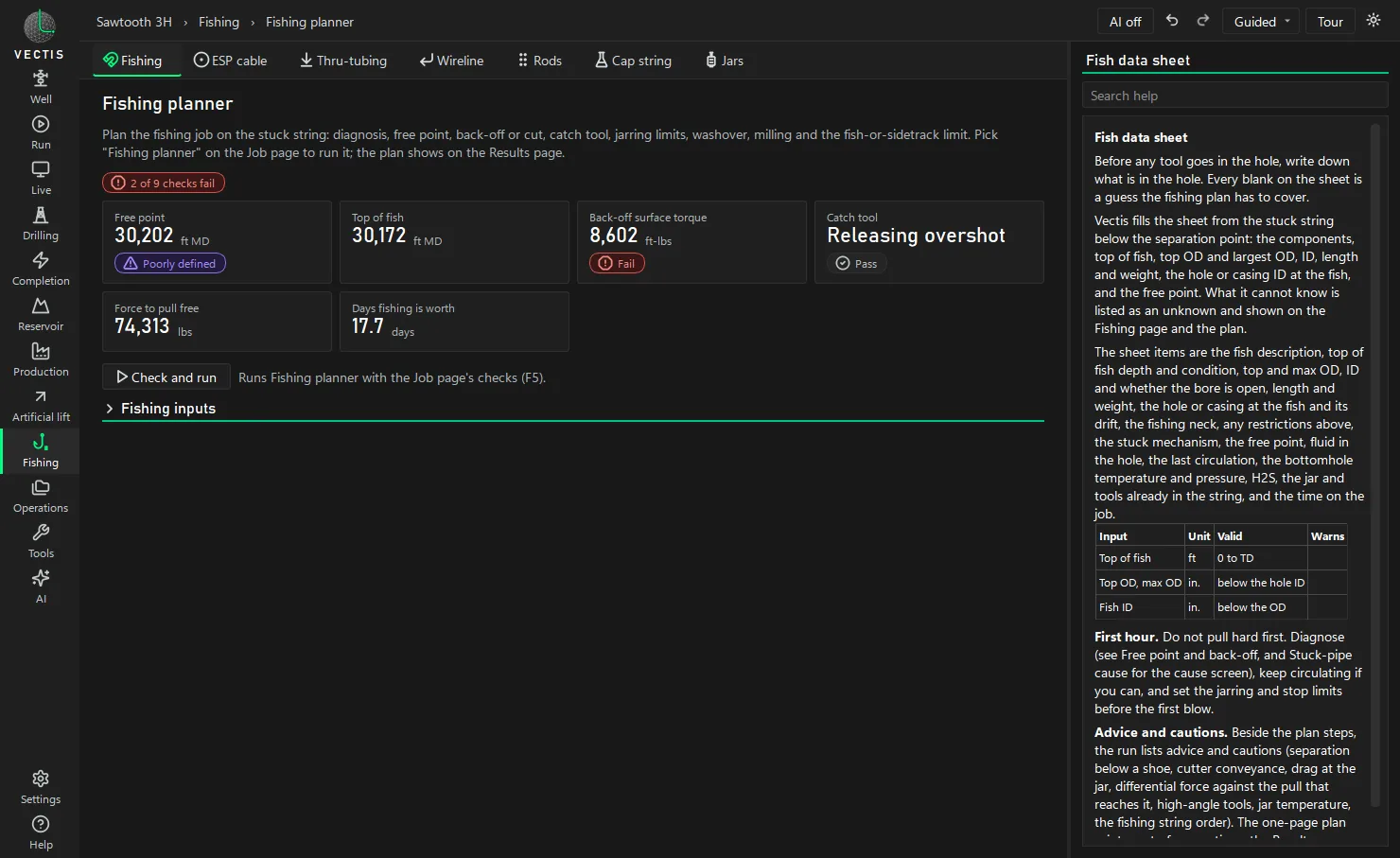
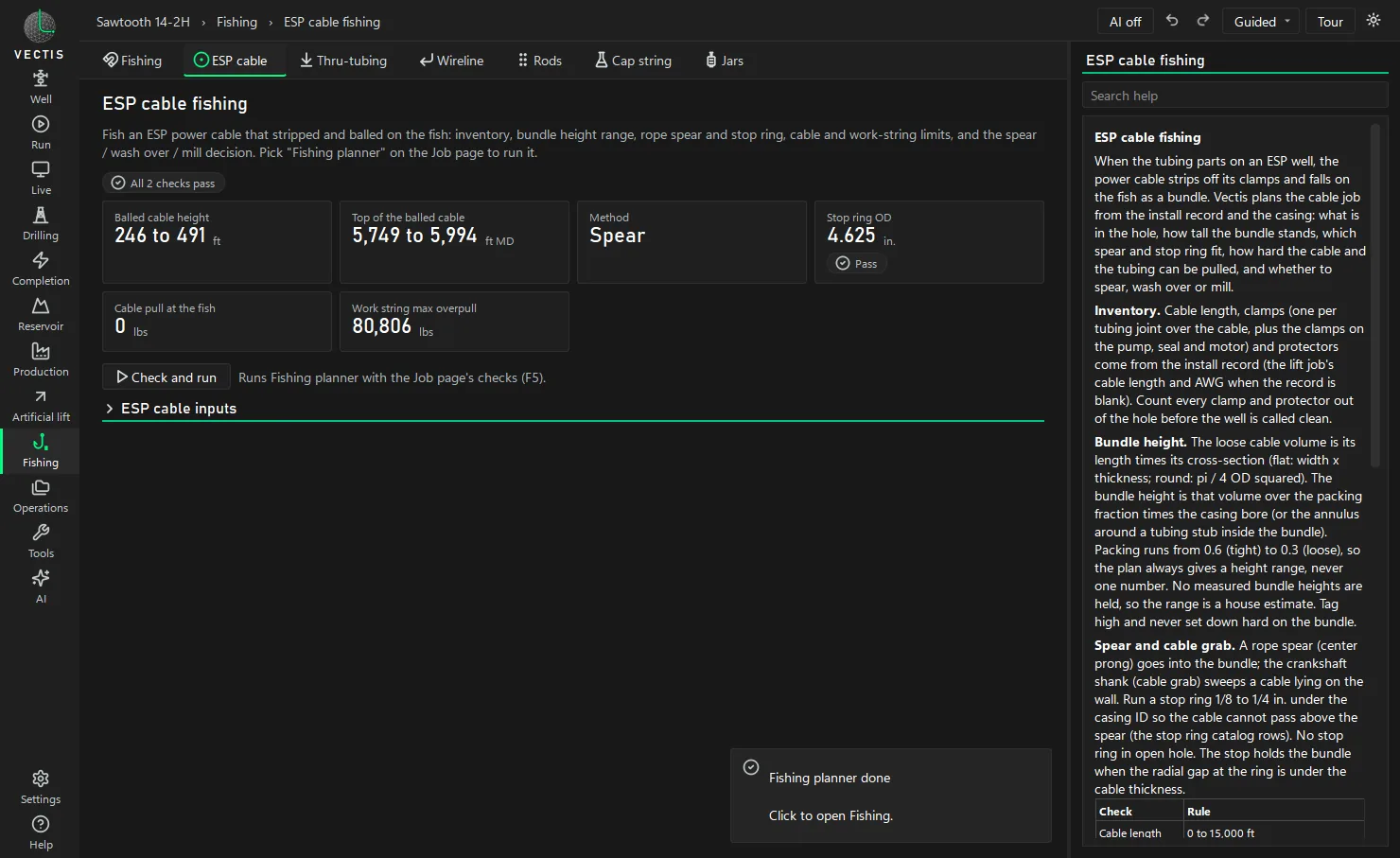
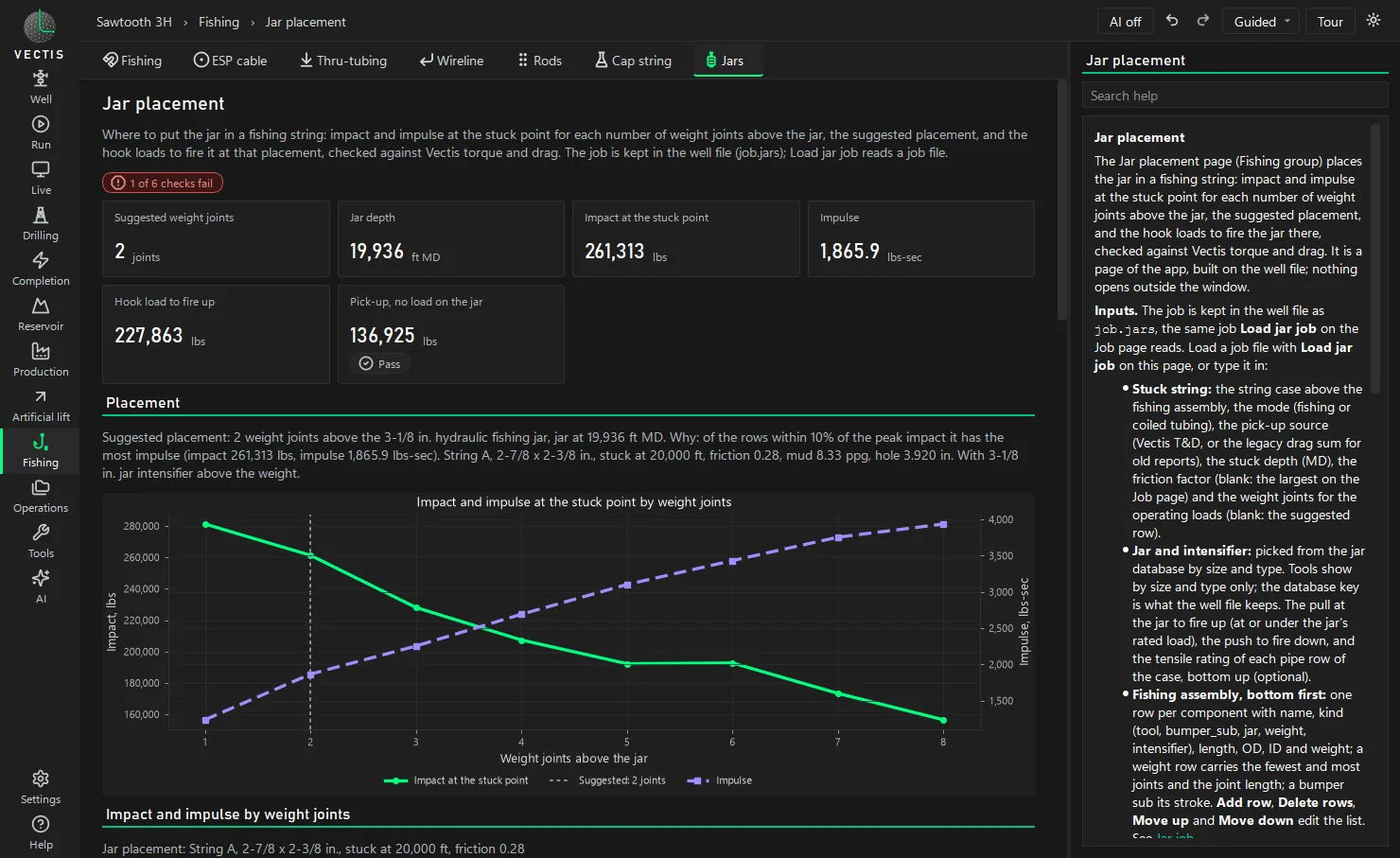
- ModuleFishing and jarsA full fishing planner from stuck point and free point through back-off or cut, catch tool, jarring, washover and milling to the fish-or-sidetrack limit. Dedicated planners for ESP cable, wire rope and slickline, sucker rods, capillary string and thru-tubing fishing on coil, plus jar placement with impact and impulse at the stuck point.
- ModuleHydraulics and well controlPressure losses for water, brines, muds, nitrogen and foam, surge and swab, ECD and hole cleaning, and a transient solver for trip envelopes, managed-pressure schedules, underbalanced windows and cement U-tubing. Kill sheets, kick and kill in time, blowout rate, worst-case discharge and dynamic kill.
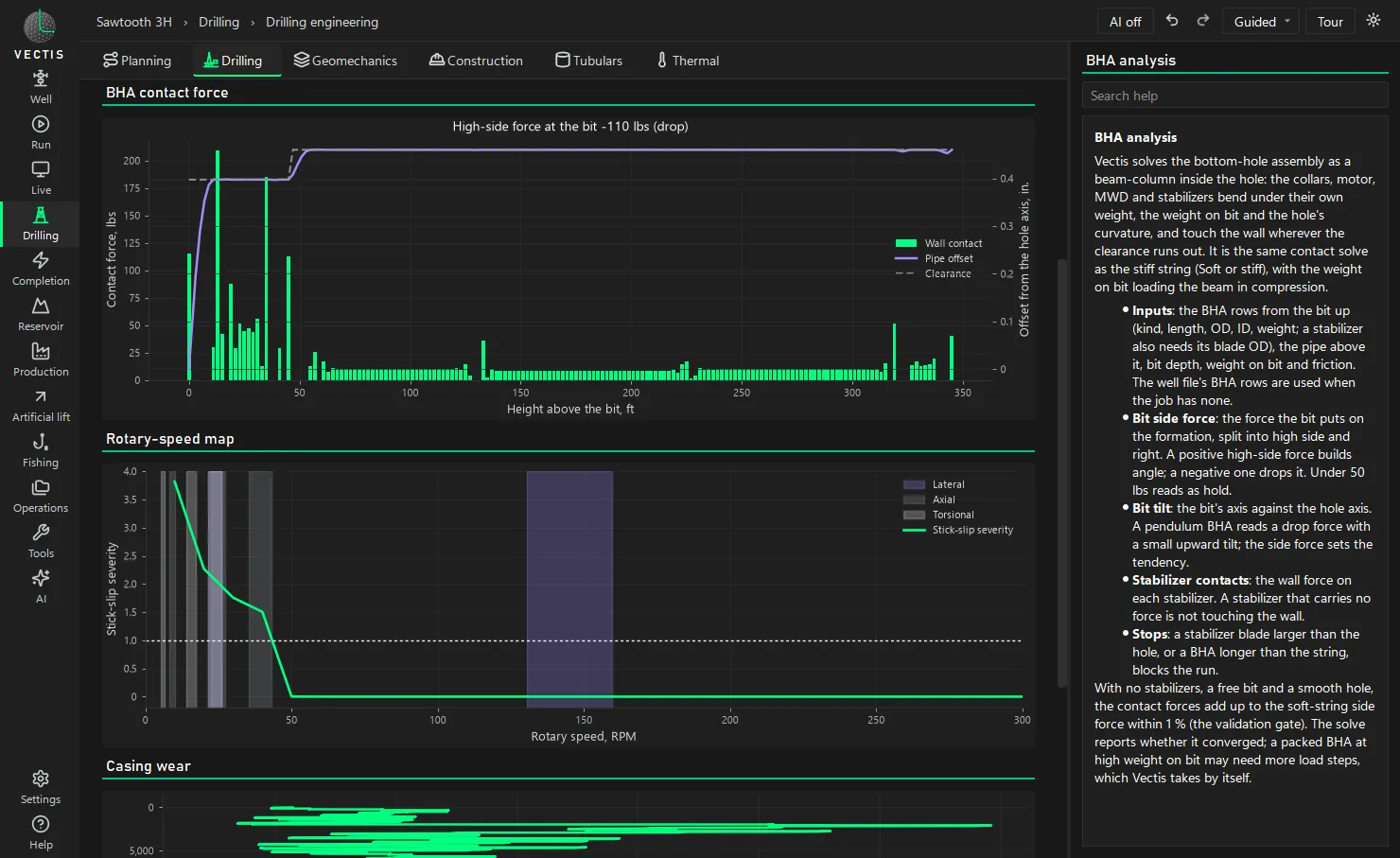
- ModuleDrilling and directional planningBHA side force and tendency, critical speeds and stick-slip, casing wear, drill string design, bit hydraulics, LCM, weight-up and trip sheets. Well plans with survey error models, anti-collision separation factors, the traveling cylinder and magnetic reference.
- ModuleWell construction and tubularsCasing design with burst, collapse and axial envelopes, connection ratings and a goal-first pick of the lightest string that passes, plus cement placement, centralizer standoff, packer loads and well integrity.
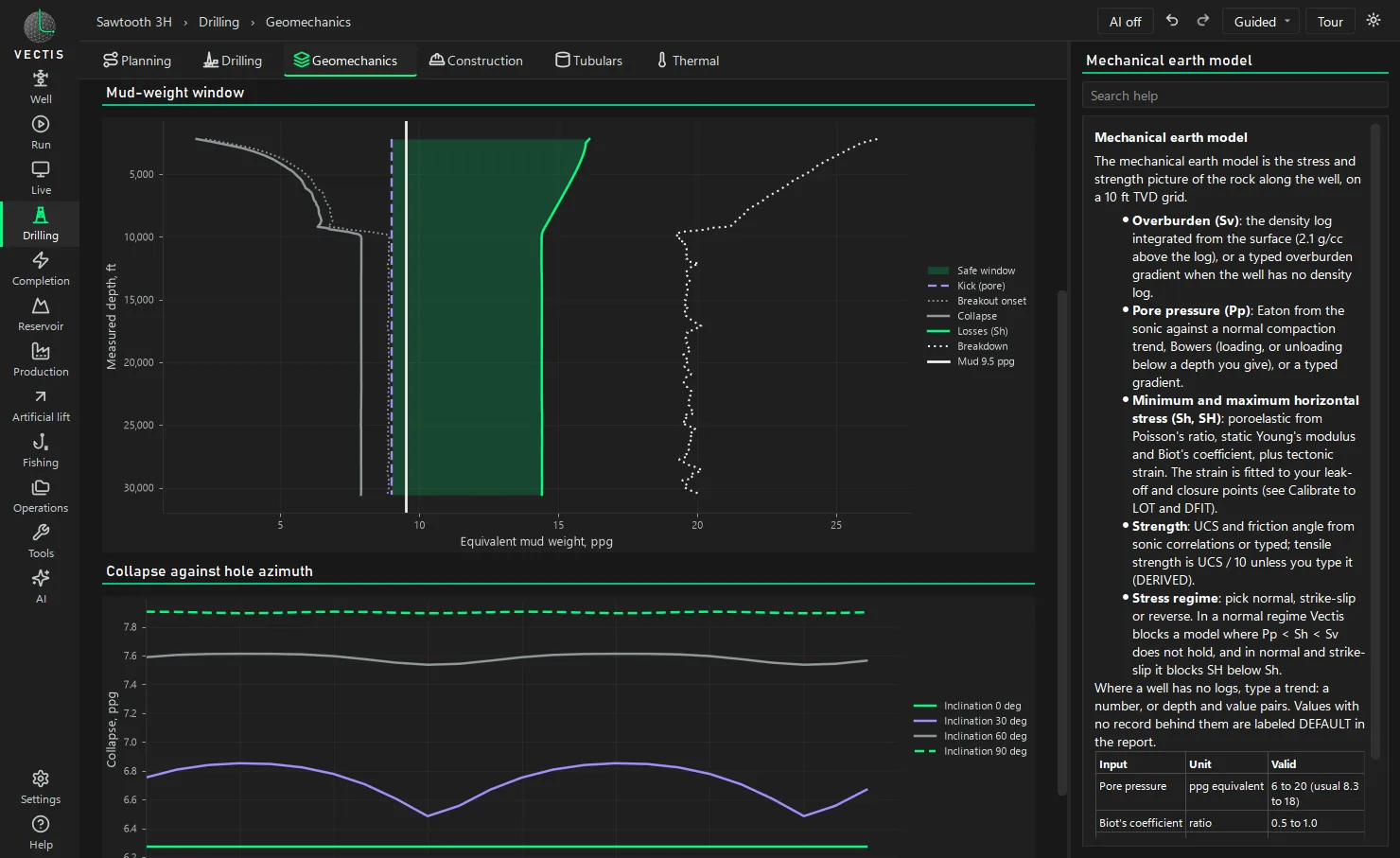
- ModuleGeomechanicsA mechanical earth model from logs or typed trends, calibrated to leak-off, FIT and DFIT, with the mud-weight window by depth and azimuth, breakouts, tensile fractures and sanding.
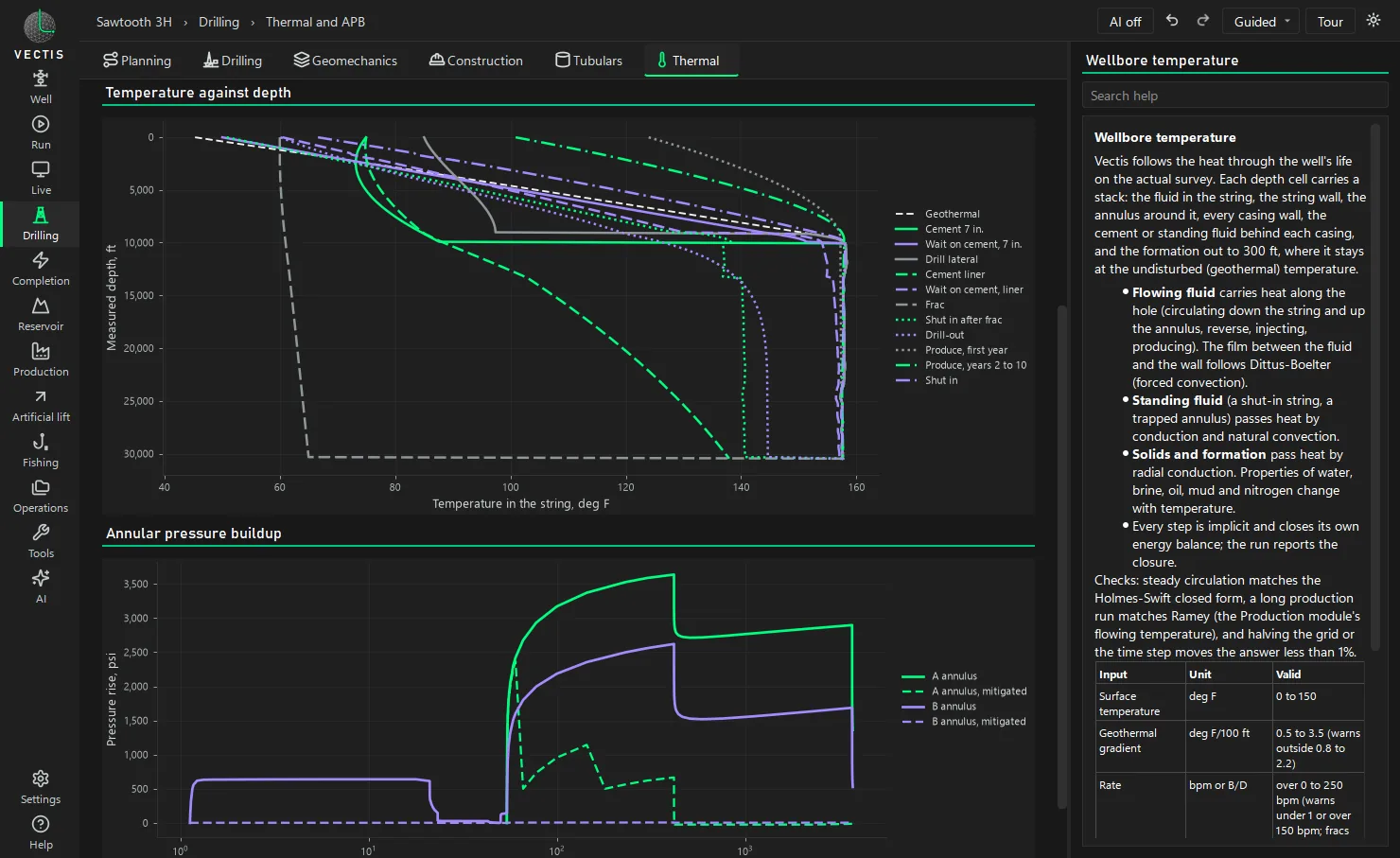
- ModuleThermal and annular pressureWell-life temperatures for every operation, annular pressure buildup in trapped annuli with and without mitigation, thermal casing loads and a cement sheath check.
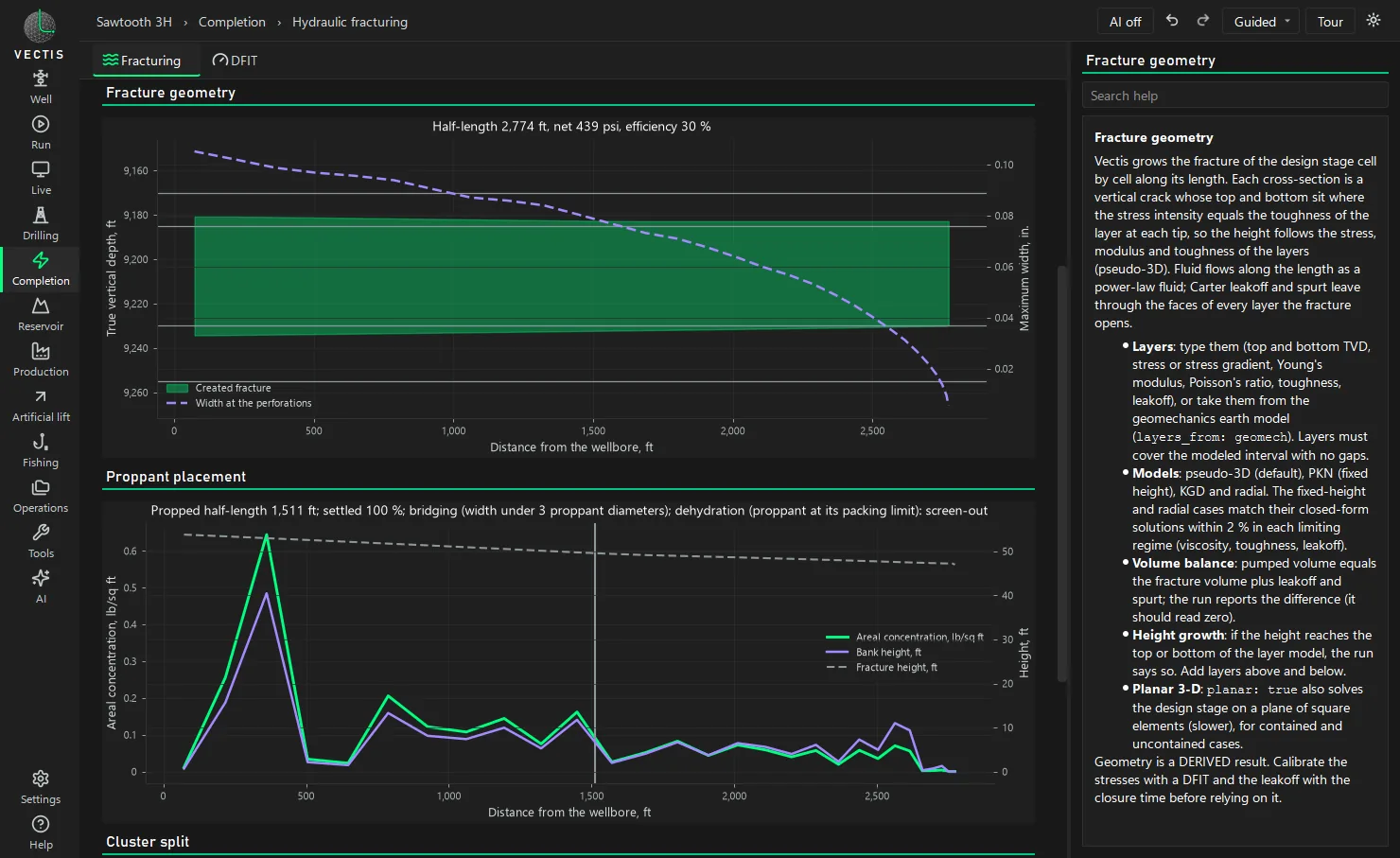
- ModuleHydraulic fracturing and DFITFracture growth in layered stress, limited entry and stress shadow across the clusters, proppant transport and placement, G-function and after-closure analysis, and design matched to actual treating pressure.
- ModuleReservoir engineeringPressure and rate transient analysis, volumetrics, material balance and a black-oil simulator, with parent-child and frac-reservoir coupling.
- ModuleProduction and networksNodal analysis, decline curves and economics, equation-of-state PVT with the phase envelope, and multi-well production networks.
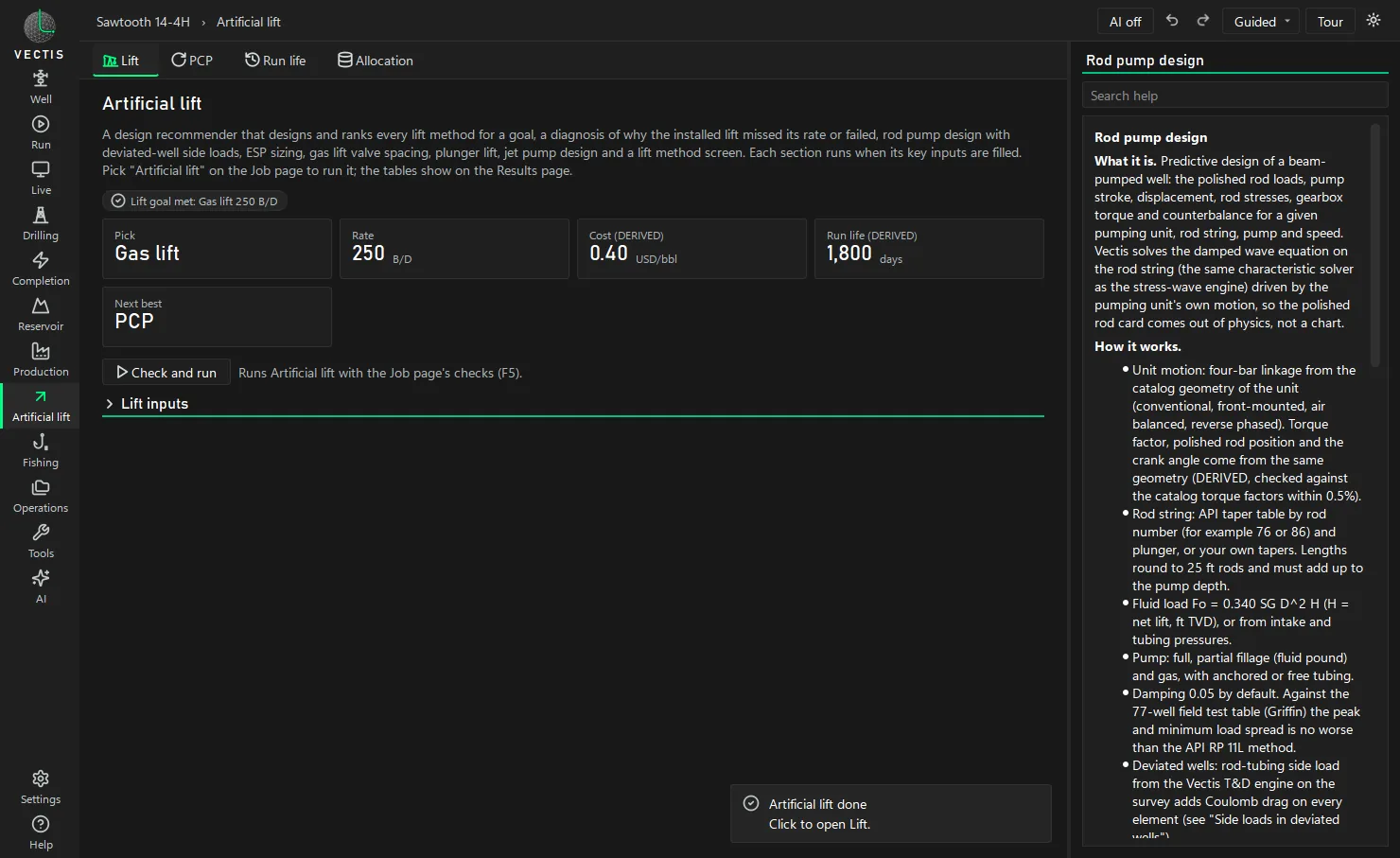
- ModuleArtificial liftRod pump, ESP, gas lift, plunger, jet pump and PCP design. A recommender that ranks every lift method against your goal (target rate, maximum rate, lowest cost or longest run life), a diagnosis of why an installed lift missed, run-life tracking and allocation.
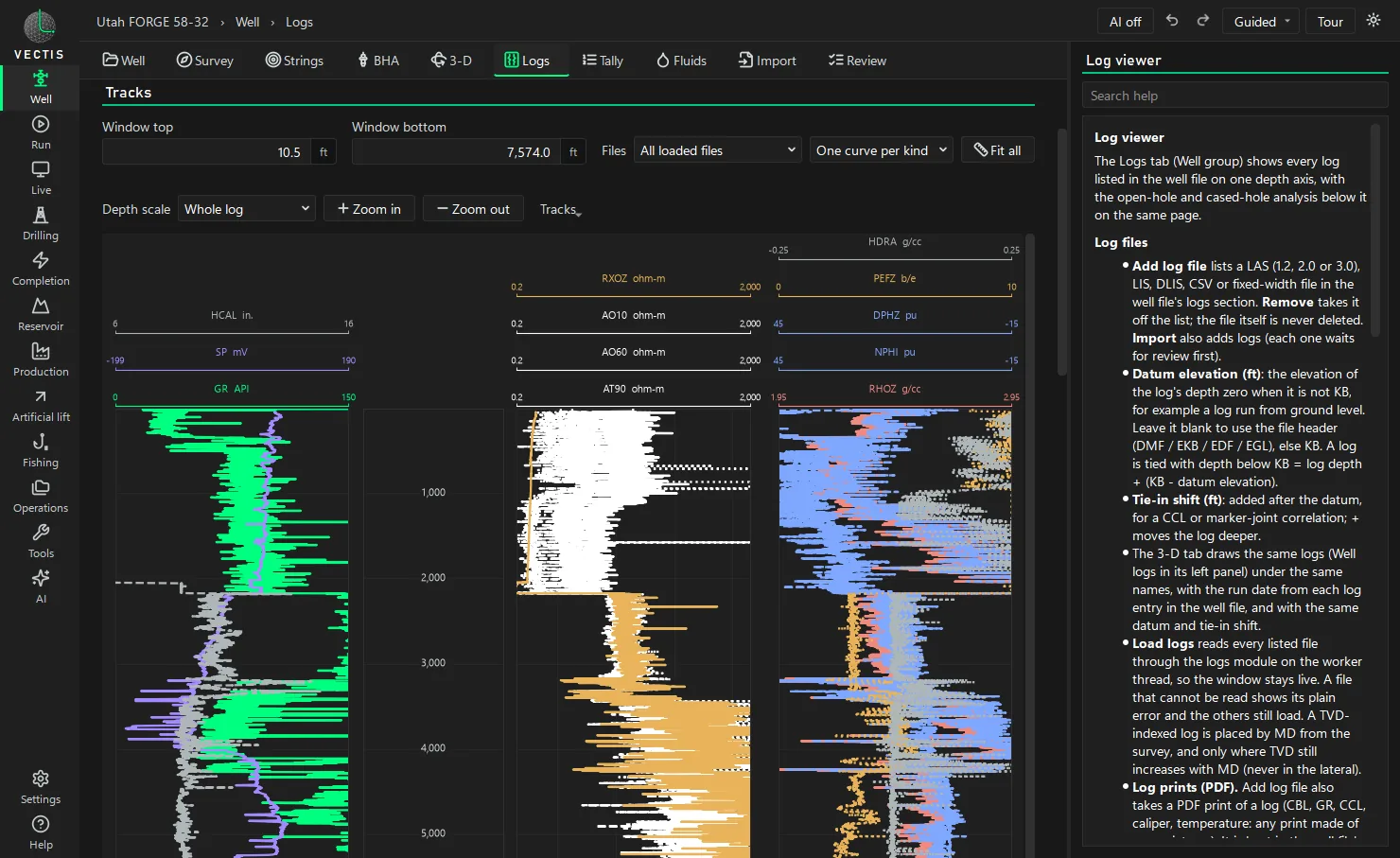
- ModuleLogs and petrophysics219 log analysis methods in 20 families, from data QC, shale volume, porosity and saturation to NMR, rock mechanics, pore pressure and net pay. LAS, LIS, DLIS and CSV, a printed log PDF tied to depth as a scrolling print track, and a digitizer for scanned prints.
- ModuleCement and casing evaluationCBL / VDL and ultrasonic cement evaluation with bond index, top of cement and isolation, multi-finger caliper casing inspection, pulsed neutron and production logging.
- ModuleLive monitoringWITSML 1.4.1.1 and 2.1, ETP 1.2 and WITS level 0, live or from a file, with rig state and alarms against the model. Seven monitors: cement, frac, ECD and MPD, kick, survey look-ahead, production trends and stuck-pipe early warning. Read-only: Vectis never writes to the rig.
- ModuleOperationsDaily reports with IADC time codes and nonproductive time, cost against the AFE, offset wells and a well schematic for every well.
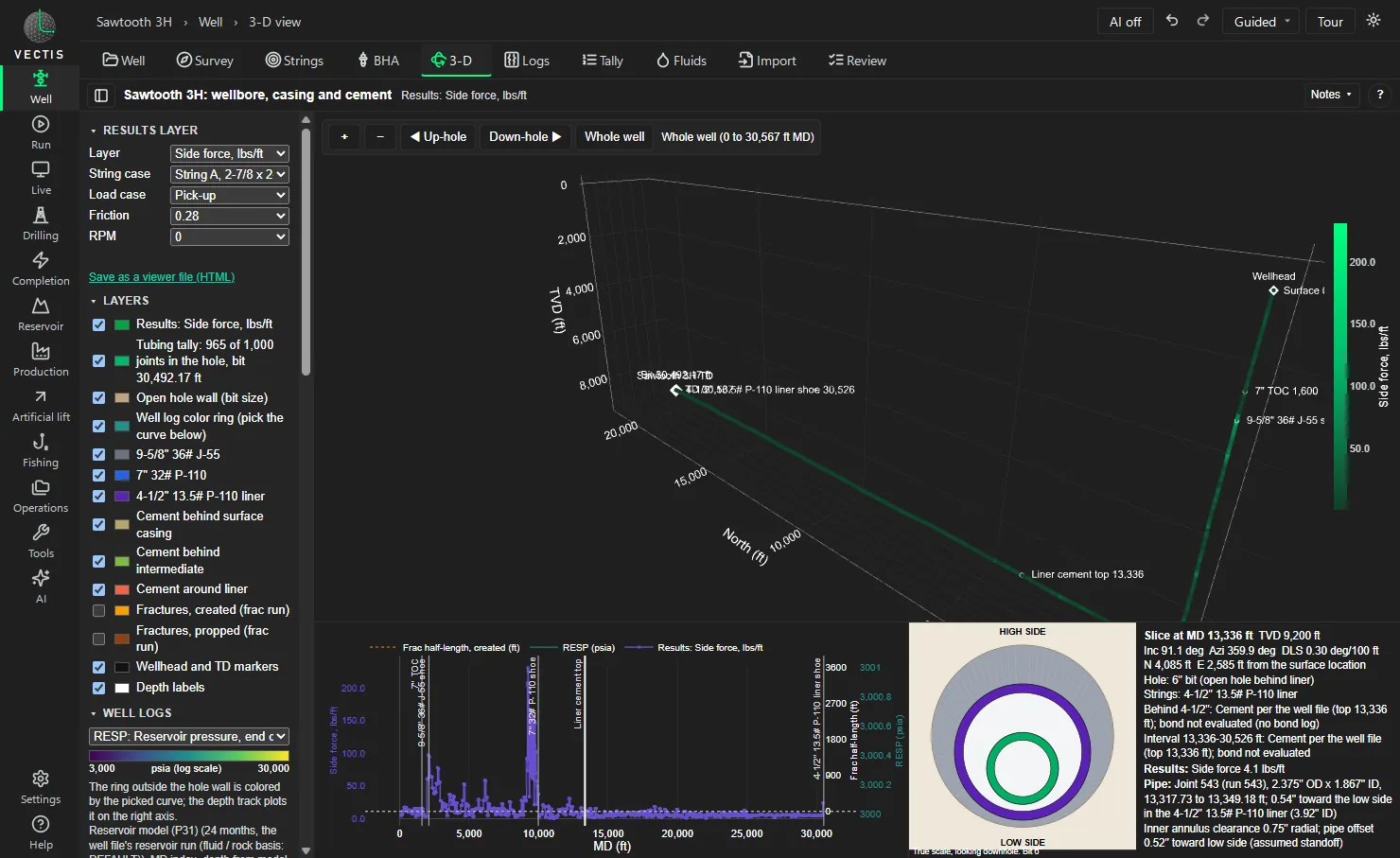
- Module3-D wellboreEvery casing string, the cement colored by bond, the caliper hole, logs on a ring around the hole, fractures, casing wear and the work string from the tally with bands and clamps, live as the bit moves. Saves to one offline file that opens in any browser.
- ModuleReports and data outA one-page letter-size PDF for every module in one click, or every report merged into one PDF. Tables to CSV and Excel, log results back to LAS 2.0, and a private read-only web copy you can share and revoke.
See Vectis in action
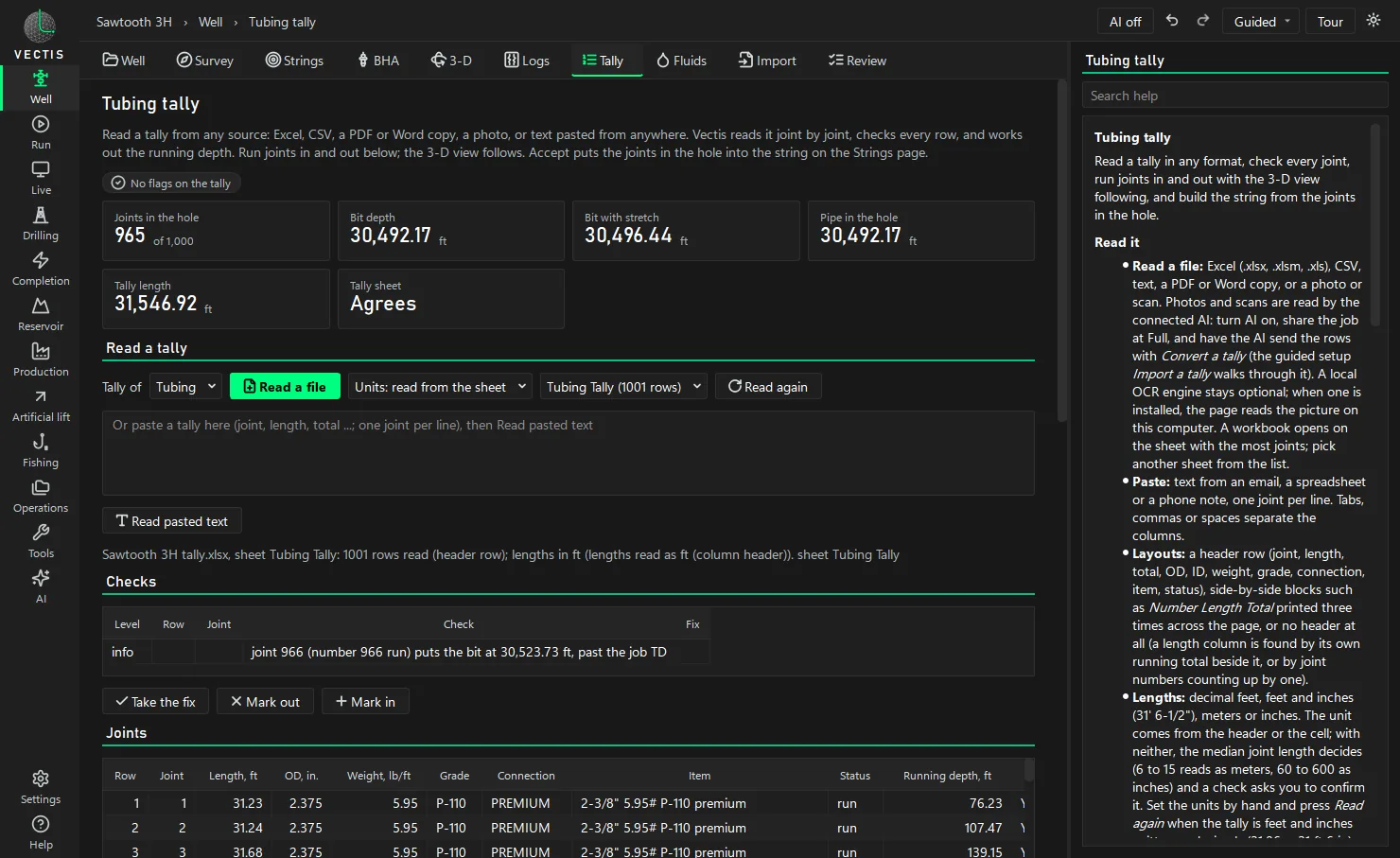
Real screenshots of the desktop app in dark mode on the Sawtooth example wells, with the public Utah FORGE 58-32 logs on the Logs page. Click any picture for full size.
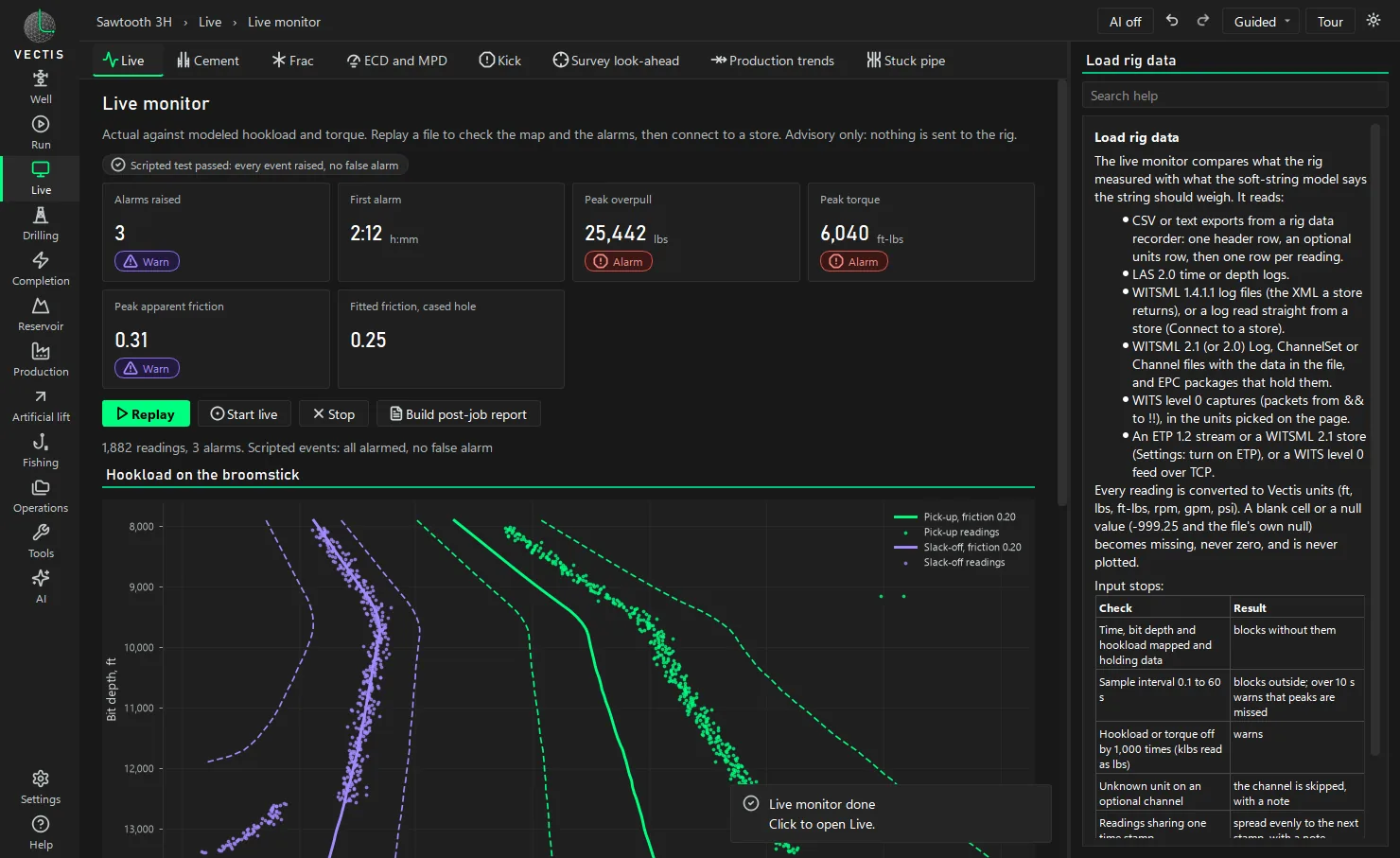
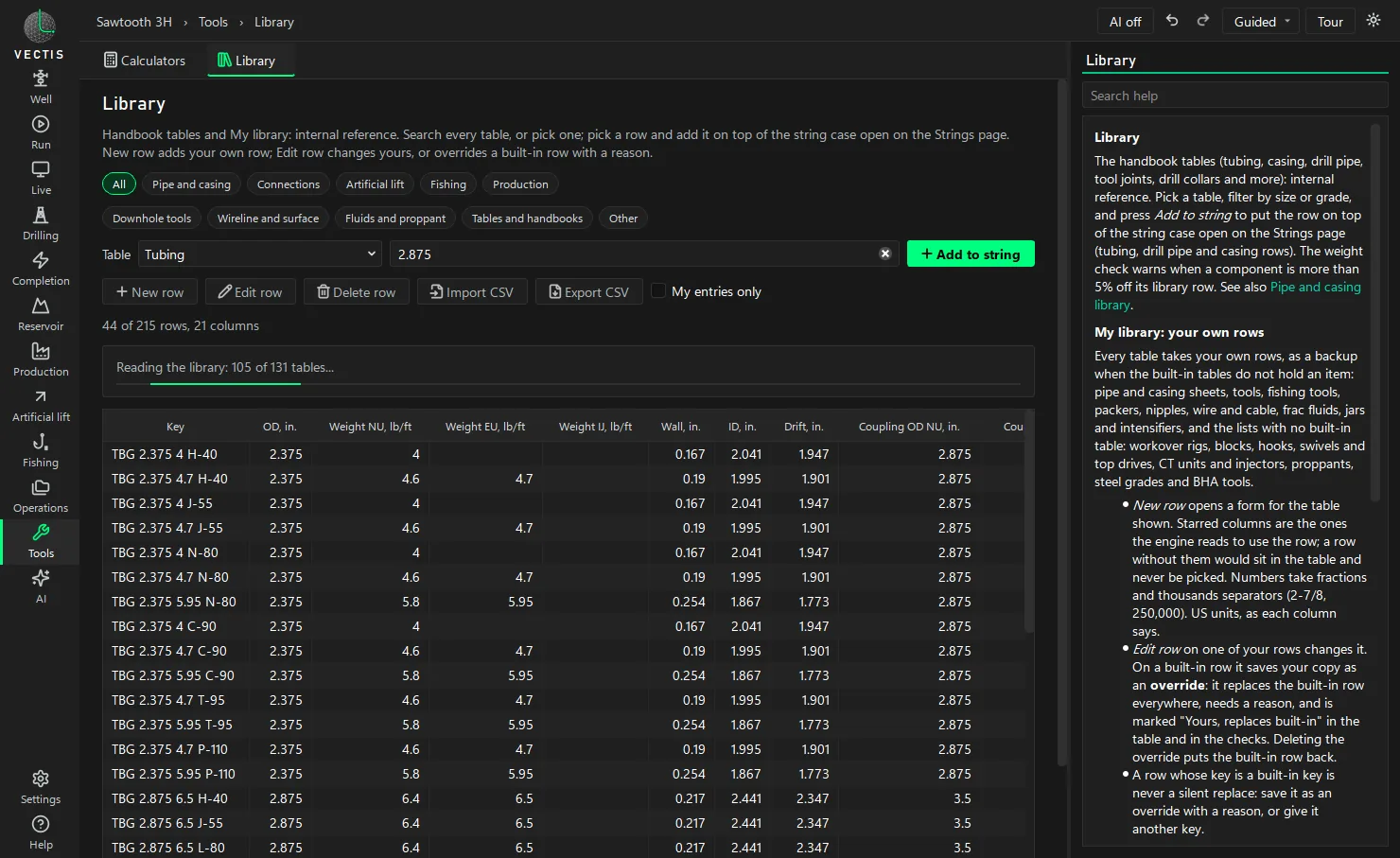
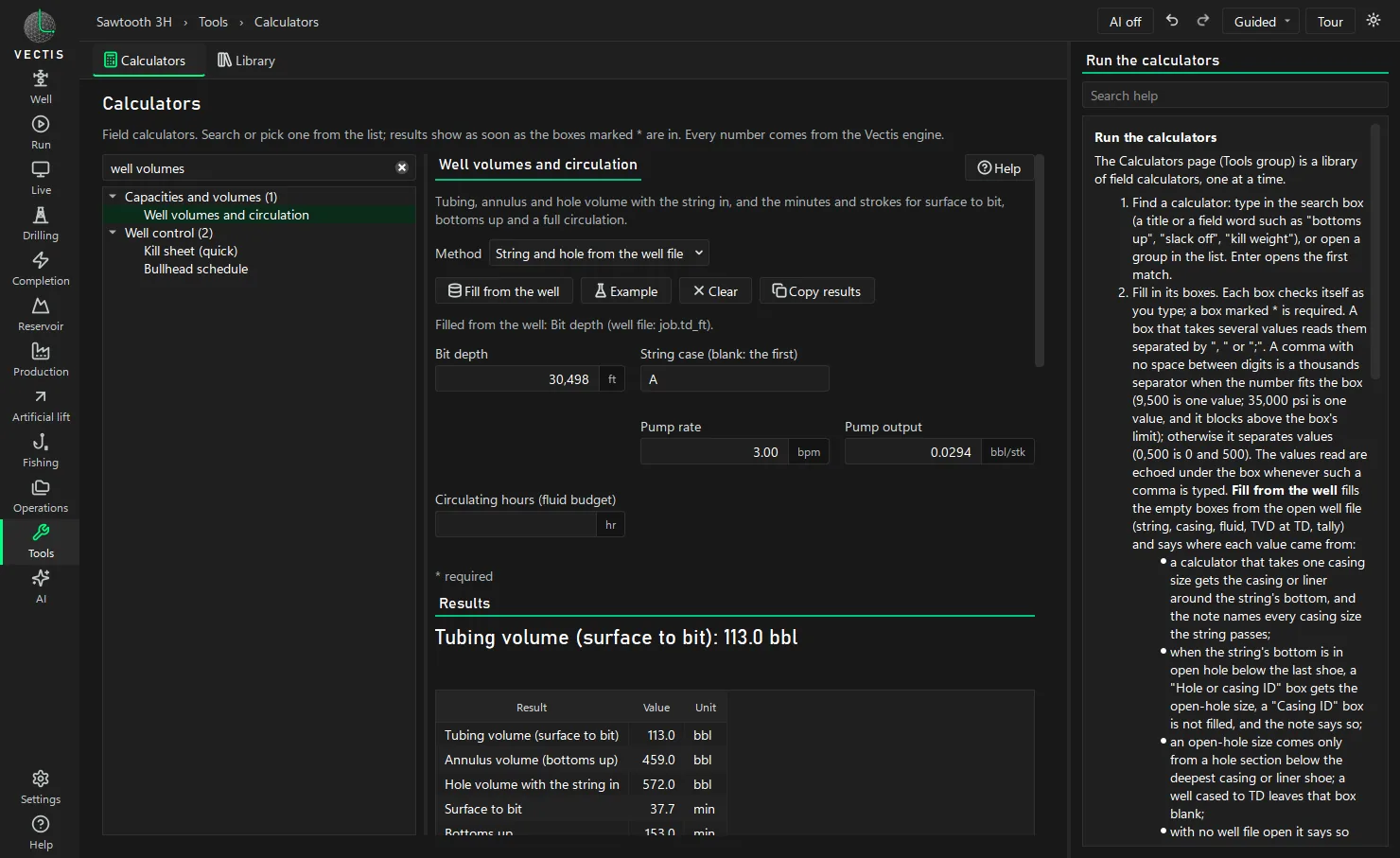
From a folder of files to a working well in minutes
- Drop in a whole well folder. Vectis sorts every file by what is in it, not by its name: schematics, surveys, bond logs, shot sheets, pump schedules, frac procedures, tallies, LAS and DLIS logs, daily reports, BHA sheets, bit records, mud checks and production data. Scans and photos are read with OCR built in, two readers checking each other.
- Nothing slips in unreviewed. Every value is staged with where it came from, conflicts are blocked and missing items stay blank. Nothing reaches the well file until a person accepts it.
- Smart tally. Read a tally in any format (Excel, CSV, text, PDF, Word or a photo), check every joint, run joints in and out with the 3-D view following, and build the string from the joints in the hole.
- Goal-driven design. Name the outcome (reach TD, put weight on the mill, stay under the torque limit, hit a production rate) and the planners work the design backward: the string, the taper, the RPM, the lift method or the lightest casing that gets it done. If nothing does, Vectis shows the closest design and the one check that stops it.
- Guided setups and a built-in tour. Step-by-step setups for common jobs and help beside every page, so new engineers are productive on day one.
The reference library is built in
More than 124,000 rows in 121 engineering tables ship with Vectis: tubing, casing, drill pipe, tool joints, drill collars, connections, stretch constants, capacities, coiled tubing, sucker rods, ESP and lift equipment, fishing tools, packers, nipples, cap strings, side-pocket mandrels, sleeves, gauges, slickline tools and fluids. Pick a row and add it to the string. My library holds your own rows and overrides beside the built-in tables; every override carries a reason, and every well keeps its own copy so old jobs never change under you.
AI that works for the engineer
Vectis brings its own engine and lets you bring your own AI: your own AI account, your own AI desktop app calling Vectis as a local tool server (MCP), or a model running on your own computer with nothing leaving it. The AI works from the engine's evidence, never from guesses. Vectis computes every number.
- Finds the cause. It asks the engine which input, survey station, method or assumption drives a problem and answers with the engine's own evidence.
- Shows the math. It walks through the method behind any result, with Vectis's own hand checks run against the engine.
- Proposes fixes, proven first. Vectis reruns the job with each proposed fix and offers it only if the problem clears without creating a new one. You accept or reject every fix.
- Does the busywork. It answers questions about the job, runs what-if cases, explains warnings, reads survey sheets, shot sheets, pump schedules, tallies and mill sheets into staged values, and drafts notes with the Vectis numbers filled in.
Trusted, signed and secure
- Code signed with Microsoft Azure Artifact Signing. Vectis is signed as Lost Cabin Consulting LLC, an identity validated by Microsoft. Windows verifies the signature before Vectis runs, so you know every file came from us, untouched.
- Machine-locked licensing, fully offline. A signed license file locks Vectis to your machines. No license server, no phone-home, and each module turns on with your license.
- Your data stays yours. AI is off by default and nothing leaves the computer while it is off. Each job carries a share level (off, help only, a summary with the well name, API number, operator and location stripped, or full), every request sent is logged, and one keystroke turns AI off.
- A person accepts every value. Values read from documents or prepared by the AI are marked not reviewed, pass the same input checks as typed values, and no calculation runs while values wait.
- Read-only on the rig. Live monitoring only reads; Vectis never writes a set point or sends anything to rig systems.
Built for speed
- Excel-style tables everywhere: drag to select, live count, sum, average, min and max, copy straight into a spreadsheet, export any table to Excel.
- Undo and redo on every well input, recent wells, pinned pages and Ctrl+K to jump to any page, calculator or action.
- Run history and Compare: every run kept with your notes, and any two runs side by side.
- One-click reports: a one-page PDF for any module, or every report for the well merged into one PDF.
- Backup and restore of settings and My library in one file, an optional system-tray mode, and dark or light themes.
Built on published methods
- Torque and drag: Johancsik soft-string model on a minimum-curvature survey on a 10 ft grid, a stiff-string option through the BHA, and the capstan equation as an independent hand check. Benchmarked against an industry-standard commercial engine to within about 3% on hookload and 0.3% on torque on a matched job.
- Buckling and lockup: Dawson-Paslay sinusoidal buckling with a curved-hole correction, Lubinski vertical buckling, and Mitchell helical buckling and contact force for lockup.
- Fatigue and stress: Lubinski dogleg bending against the API RP7G fatigue limits and von Mises equivalent stress at every node.
- Jar placement: a stress-wave method for the impact and impulse delivered to the stuck point.
- Well control: the static kill sheet plus a drift-flux kick model that follows the kick and the kill in time.
- Geomechanics: stresses around the hole at any inclination and azimuth, with Mohr-Coulomb, Mogi-Coulomb and modified Lade failure criteria.
- Fracturing: layered pseudo-3D growth with PKN, KGD and radial limits, Carter leakoff, limited entry, stress shadow and G-function closure analysis.
- Reservoir and production: Laplace-space pressure transient solutions, Blasingame and flowing material balance, nodal analysis and a cubic equation of state.
- Log analysis: 219 programmed methods in 20 families, each validated with hand calculations, closed-form identities and synthetic round trips.
Interactive 3-D, dark and offline
Every Vectis well saves to a single 3-D viewer file that opens in any web browser with no internet and nothing to install. Turn the pad, zoom into the build, slice the wellbore at any depth and read the casing, cement bond and hardware at that point.
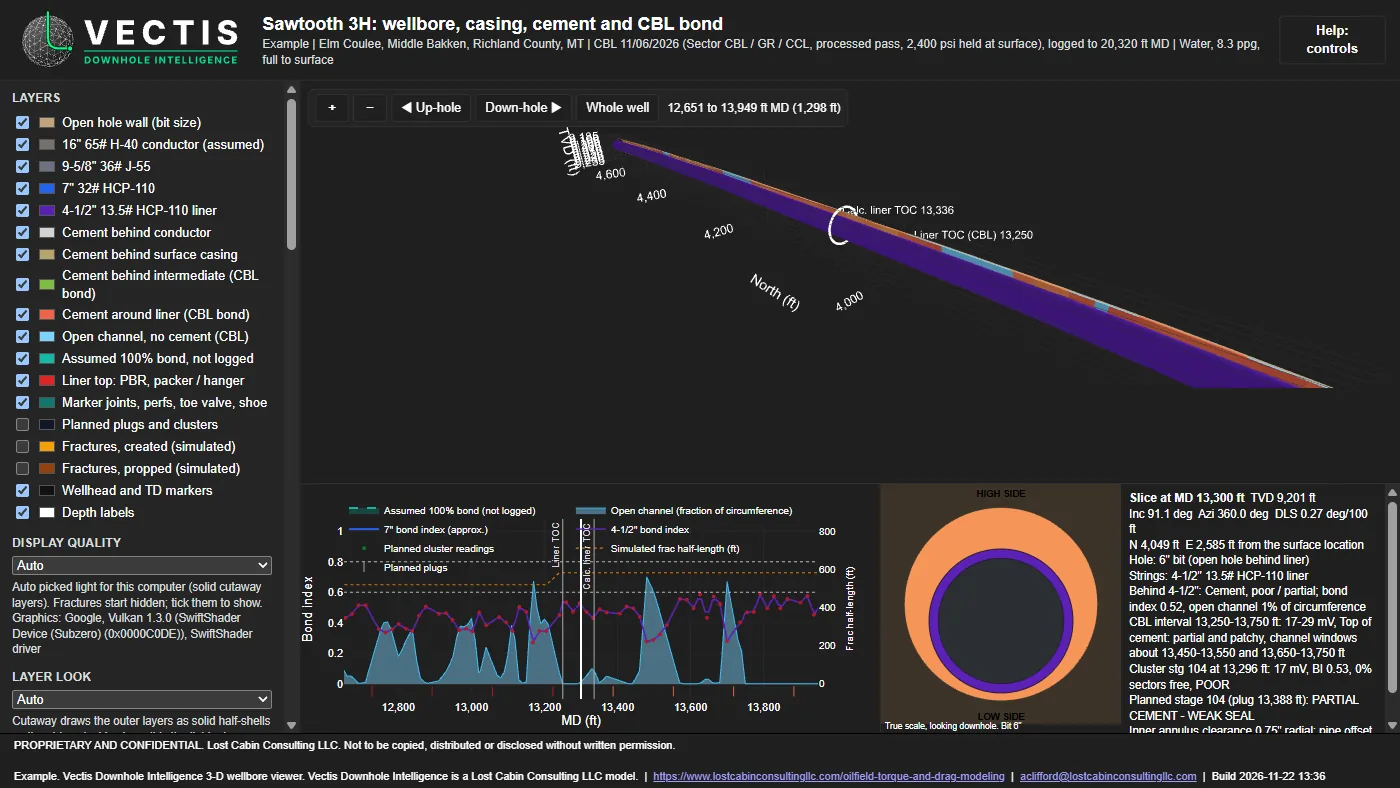
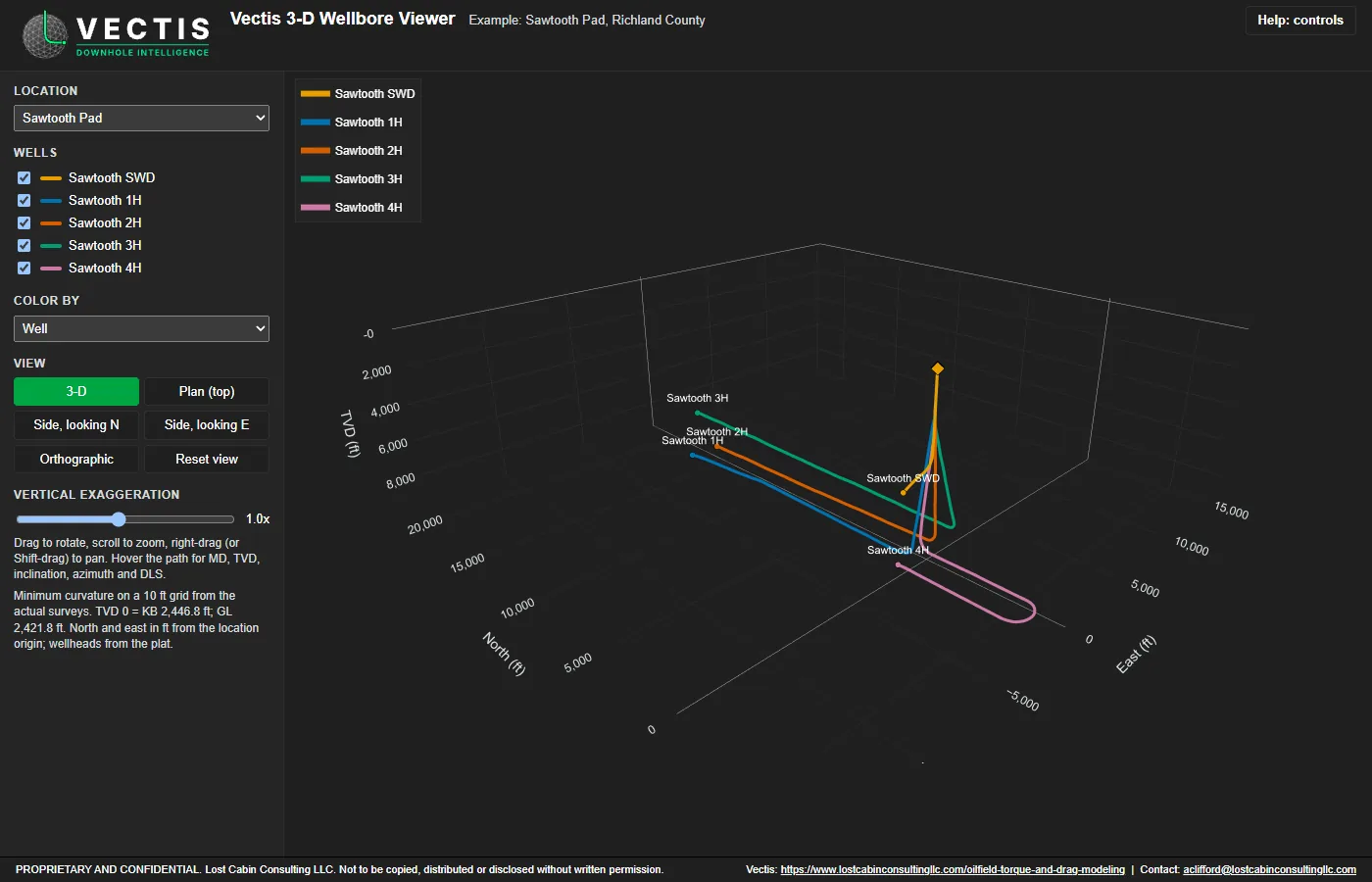
Open the 3-D viewer Open the cement viewer
Sawtooth Pad and Sawtooth 3H. Example. Each viewer has a Help: controls button. About 5 to 7 MB each; best on a computer or tablet.
Two ways to put Vectis to work
- License Vectis for your team. The Windows desktop app on your engineers' machines, with the modules you need.
- Have us run it. Send the well files and the job; we run Vectis and send back one-page reports, charts and 3-D viewers, plus LAS results for your own software.
Questions
What is Vectis Downhole Intelligence?
Vectis Downhole Intelligence is an industry-leading well engineering software suite from Lost Cabin Consulting LLC. One well file drives every module: torque and drag, drill-outs, coiled tubing, wireline, snubbing, fishing and jars, hydraulics and well control, drilling and directional planning, well construction, geomechanics, thermal, hydraulic fracturing, reservoir, production, artificial lift, logs and petrophysics, cement evaluation, live monitoring, operations and interactive 3-D. It runs as a Windows desktop app built on published industry methods.
How do I get Vectis?
Two ways. License the Windows desktop app for your own engineers, or send us your well files and we run Vectis for you and send back the reports, charts and 3-D viewers. Email us for licensing, a live demo or a quote.
Is Vectis signed and safe to install?
Yes. Vectis is code signed through Microsoft Azure Artifact Signing as Lost Cabin Consulting LLC, an identity validated by Microsoft. Windows checks the signature before it runs, so you know every file came from us and was not changed on the way.
How is Vectis licensed?
With an offline license file locked to your machines. Vectis never calls a license server, and each module turns on with your license, so you pay for what you use.
Does Vectis use AI?
Only if you want it. AI is off by default and nothing leaves the computer while it is off. Bring your own AI account, connect your own AI desktop app to Vectis as a tool server, or run a model on your own computer. The AI explains results, finds the cause of a problem and proposes fixes that Vectis proves first; every number still comes from the Vectis engine and a person accepts every value.
What data can Vectis read?
Drop in a whole well folder and Vectis sorts every file by what is in it: schematics, surveys, tallies, shot sheets, pump schedules, bond logs, daily reports, BHA sheets and production data, in Excel, CSV, PDF, Word, LAS, DLIS or a photo or scan, with OCR built in. Every value is staged for your review before it reaches the well file.
Can Vectis read live rig data?
Yes. Vectis reads WITSML 1.4.1.1 and 2.1, ETP 1.2 and WITS level 0, live or from a file after the job, and checks hookload and torque against the model with rig-state detection and alarms. It only reads; it never sends anything to the rig.
What is in the Vectis library?
More than 124,000 rows in 121 engineering tables: pipe, tubing, casing, drill collars, connections, coiled tubing, sucker rods, ESP and lift equipment, fishing tools, packers, nipples, fluids and downhole equipment. Add your own rows in My library; every override carries a reason and every well keeps its own copy.
How many log analysis methods does Vectis have?
219 programmed methods in 20 families, each validated with hand calculations, closed-form identities and synthetic round trips.
Is torque and drag part of Vectis?
Yes. Torque and drag is the module most jobs start with, and it has its own page with the full detail, example reports and the 3-D viewers.
Is Vectis finished?
Vectis is in active development and growing fast. New modules land and existing ones get deeper all the time; this page lists what runs today.
Vectis is in active development. Results are engineering estimates built from the data supplied. See the disclaimer.
Talk to us about Vectis
Licensing, a live demo or a modeling job: email us with your well and the job, or reach Adam on LinkedIn.